

If you’re working on your ecommerce website SEO, you’ve probably heard of sitemaps, keywords, page speed, and metadata. But what about that little file behind the scenes the one that quietly tells Google what to crawl and what to ignore?
We’re talking about robots.txt.
Often overlooked or misunderstood, the robots.txt file can either boost your site’s SEO by guiding Google’s bots or accidentally break it by blocking the wrong content.
At Paper Cut Collective, we work with brands who care about every pixel and word on their site. But even the most beautiful website won’t rank well if search engines can’t crawl it properly.
So, in this guide, we’ll explain what robots.txt is, how the Disallow directive works, when (and why) to use it and how to avoid common mistakes that could quietly sabotage your search performance.
What Is robots.txt?
robots.txt
is a simple tex t file placed at the root of your website (e.g., yourwebsite.com/robots.txt). Its job is to provide instructions to search engine crawlers telling them which pages or folders they’re allowed to access and which ones they should avoid.
Think of it as a “backstage pass system” for your website. You control which areas are visible to search engine bots like Googlebot, Bingbot, or Yandex, and which ones are off-limits.
It uses basic syntax like this:
makefile
CopyEdit
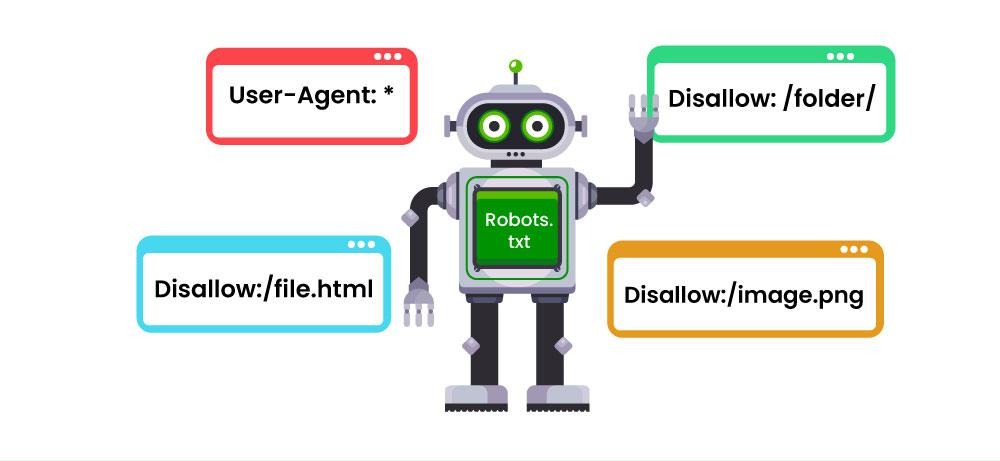
User-agent: *
Disallow: /private-folder/
Let’s break that down:
-
User-agent: * → This rule applies to all bots.
-
Disallow: /private-folder/ → Tells bots not to crawl any URLs starting with /private-folder/.
Simple, right? But also powerful and easy to misconfigure.
Why Should You Care About robots.txt?
Great question. If you’re a founder, content creator, or small business owner, you might think: “Why should I care what bots see? I just want to rank.”
But here’s why it matters:
1. Avoid Crawling Unnecessary Pages
If your site has admin areas, login pages, staging folders, or backend scripts these don’t need to be crawled. Blocking them helps Google focus on your important content.
2. Clean Up Your Search Appearance
You don’t want duplicate content, filters, or private files appearing in search results. robots.txt can help prevent that.
3. Optimise Crawl Budget
Google doesn’t crawl every page of your site every day. The larger your site, the more important it is to guide crawlers toward your high-priority pages.
4. Improve SEO Accuracy
Cleaner crawl paths = more accurate indexing = better rankings. Plus, less junk in Search Console reports.
How the Disallow Directive Works
The most commonly used directive in robots.txt is Disallow. It tells search engine bots not to access specific pages or folders.
Example 1: Block the WordPress Admin Area
makefile
CopyEdit
User-agent: *
Disallow: /wp-admin/
Example 2: Block a Private Folder
makefile
CopyEdit
User-agent: *
Disallow: /client-proposals/
Example 3: Block URLs with Parameters
makefile
CopyEdit
User-agent: *
Disallow: /*?filter=
Important: Disallow only prevents crawling. It doesn’t guarantee that the page won’t appear in search results if other pages link to it.
If you want to block both crawling and indexing, you’ll need to pair robots.txt with a noindex meta tag on the page or restrict access via password protection.
Smart Ways to Use robots.txt (For Non-Tech People Too)
Here are practical ways we use robots.txt to improve SEO for our clients:
1. Block Admin or Login Pages
These shouldn’t be visible in search engines.
bash
CopyEdit
Disallow: /admin/
Disallow: /login/
2. Block Thank-You or Confirmation Pages
These are part of your conversion funnel but don’t need to appear in search.
bash
CopyEdit
Disallow: /thank-you/
3. Exclude Search Filters or Parameters
If your ecommerce site generates multiple URLs for filtered views, block them to avoid duplicate content.
makefile
CopyEdit
Disallow: /*?sort=
Disallow: /*?filter=
4. Exclude Staging or Dev Environments
If you're working on a redesign or using a staging site:
bash
CopyEdit
Disallow: /staging/
Common robots.txt Mistakes to Avoid
A single misplaced slash or overly broad rule can quietly wreck your site’s visibility. Here are common errors we see:
Blocking Everything Accidentally
This rule tells bots: “Don’t crawl anything on my site.”
makefile
CopyEdit
Disallow: /
Unless you’re launching a site in stealth mode never use this on a live domain.
Blocking CSS or JS Files
Some site themes or frameworks store CSS and JS files in folders that get blocked.
If Google can’t access them, it may not render your page correctly, which affects indexing and rankings.
Assuming Disallow = Security
robots.txt is a public file. Anyone can view it by visiting /robots.txt. So never use it to hide sensitive data use password protection or firewalls for that.
Typos in Syntax
The robots.txt file is case-sensitive and strict with spacing. One wrong letter or symbol can make your rule invalid.
Tools to Test Your robots.txt File
Before publishing, it’s smart to test your rules.
Use:
-
Google Search Console Robots.txt Tester
-
TechnicalSEO expert Robots.txt Tester
These tools help you preview how Google will read your file so you don’t accidentally block your entire site.
How Paper Cut Collective Helps with robots.txt and Technical SEO
At Paper Cut Collective, we work with creative brands and growing businesses who want performance + personality. But a high-performing website isn’t just about visuals it’s about making sure search engines understand your site too.
Here’s how we help:
-
Audit your current robots.txt file and crawl settings
-
Clean up bad disallow rules or missed opportunities
-
Set up staging or test environments properly
-
Optimise your site structure and crawl paths for SEO
-
Coordinate with your developers or CMS to implement fixes
Whether you're using WordPress, Webflow, Shopify, or a custom stack we ensure your robots.txt supports your SEO goals without blocking what matters.
Final Thoughts: robots.txt Should Guide, Not Block
If you’re building a brand you want people to find, robots.txt should be your search engine assistant, not your gatekeeper.
Used wisely, it helps:
-
Protect your backend
-
Focus Google’s attention
-
Avoid technical SEO issues
-
Keep your SERPs clean and relevant
And best of all? It’s easy to manage with the right guidance.
Ready to Take Control of Your Crawling Strategy?
Don’t leave your SEO get in touch performance up to guesswork. Let Paper Cut Collective help you audit, refine, and elevate your site’s crawl setup so every page that matters gets the attention it deserves.
👉 Visit papercutsg.com and book your free technical SEO consult today. We’ll make sure your site is seen, crawled, and ranking where it counts.
When you are ready to scale, a Singapore digital marketing agency makes sure the foundations hold. Explore our SEO services in Singapore service if you want a hand. Eligible Singapore SMEs can offset up to 50% of the cost of a pre-approved agency package through the PSG digital marketing grant.