

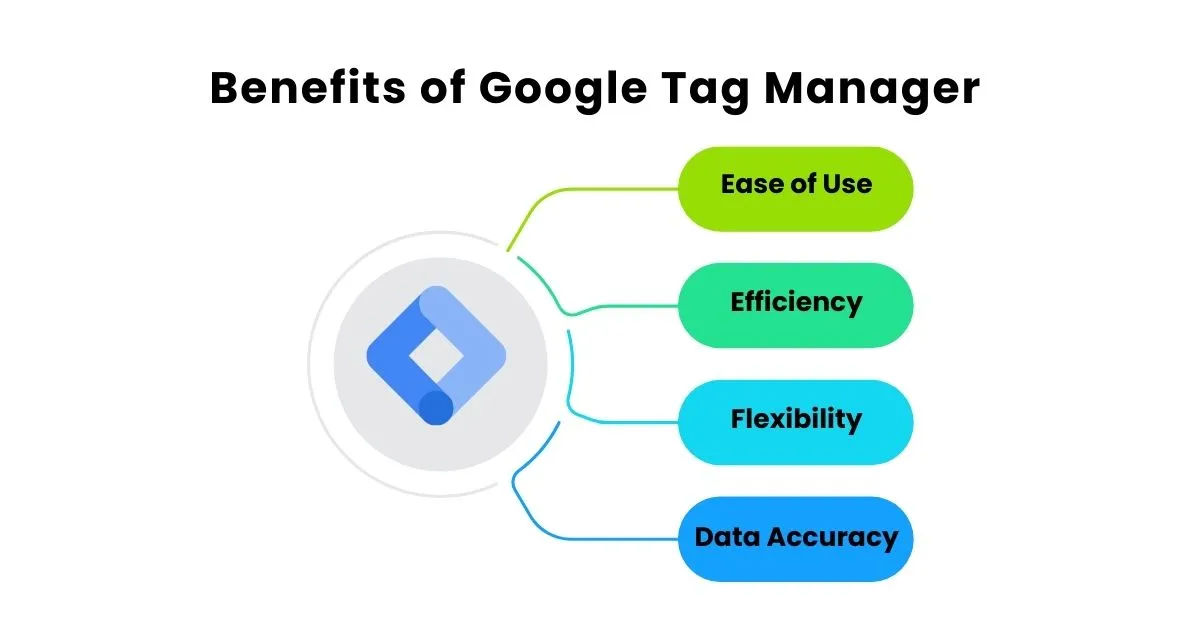
Google Tag Manager (GTM) is one of the most useful tools in digital marketing because it helps you add and manage tracking tags on your website without constantly editing code. If you’re running Google Ads, SEO, or social campaigns, GTM helps you track what matters form submissions, button clicks, purchases, and more so you can make smarter decisions.
In Singapore, where competition is high and clicks can be expensive, tracking is not optional. Without proper tracking, you’ll waste budget, get misleading reports, and struggle to improve performance.
If you want a team to set up GTM correctly and connect it to your full funnel tracking, work with a trusted digital marketing agency singapore here: digital marketing agency singapore.
What Is Google Tag Manager?
Google Tag Manager is a free tool that lets you:
-
install tracking codes (tags) like GA4, Google Ads, Meta Pixel
-
set up triggers (when a tag should fire)
-
define variables (extra information like click text, page URL)
-
manage everything from one dashboard
Instead of adding multiple tracking scripts manually, you add one GTM container to your website, then control tags inside GTM.
If you’re investing in pay per click singapore, GTM is essential because it ensures your conversion tracking is accurate: pay per click singapore.
What You Can Track With GTM
Here are common actions businesses track using GTM:
-
Contact form submissions
-
“Call now” button clicks
-
WhatsApp clicks
-
Booking button clicks
-
Newsletter signups
-
Add-to-cart and purchases (for e-commerce)
-
Scroll depth (how far people read)
-
File downloads (PDFs, brochures)
Tracking helps you understand which channel is driving real results SEO, Google Ads, or social.
If your goal is to turn organic traffic into leads, tracking supports your seo services singapore strategy too: seo services singapore.
Step 1: Create a GTM Account and Container
To get started:
-
Go to Google Tag Manager
-
Create an account (use your business name)
-
Create a “Container” for your website
-
Choose “Web” as the platform
GTM will give you two code snippets:
-
one for the <head>
-
one for the <body>
These snippets must be installed on every page of your website.
If you’re unsure whether your site is set up correctly or if you have a complex WordPress setup, technical support is part of proper seo services: seo services.
Step 2: Install the GTM Container on Your Website
You have three common options:
Option A: Add code to your website theme
-
Paste the GTM head code into the site’s header
-
Paste the body code right after the opening <body> tag
Option B: Use a plugin
-
Install a trusted GTM plugin
-
Paste your GTM Container ID
-
Verify it’s firing correctly
Option C: Use platform settings
Many platforms have direct fields to add tracking.
Once installed, GTM becomes your control center for tracking across all channels SEO, paid ads, and social. This supports your overall digital marketing agency strategy: digital marketing agency.
Step 3: Add Your First Tag
Most websites should start with GA4 tracking.
Inside GTM:
-
Go to Tags → New
-
Choose “Google Tag” (GA4)
-
Enter your GA4 Measurement ID
-
Trigger: “All Pages”
-
Save
Now GA4 can track baseline page views.
GA4 helps you understand which pages drive leads and which pages need improvement useful for both seo company singapore planning and ads optimisation: seo company singapore.
Step 4: Set Up Conversion Tracking
Tracking page views isn’t enough. To improve performance, you must track conversions.
Common conversions:
-
form submission thank-you page
-
form submit button event
-
phone/WhatsApp clicks
-
purchases (e-commerce)
If you’re running search campaigns, conversion tracking is crucial for optimisation and lead quality. That’s why it’s part of a strong singapore sem agency setup: digital marketing singapore.
Step 5: Create Triggers
A trigger tells GTM when to send data.
Simple examples:
-
All Pages (for GA4 base tracking)
-
Click – Just Links (track link clicks)
-
Click – All Elements (track button clicks)
-
Form Submission (track form submits)
-
Page View (track a thank-you page URL)
For many service businesses, the cleanest setup is:
-
send users to a thank-you page after form submission
-
trigger conversion on that thank-you page view
This avoids messy tracking and improves accuracy.
Step 6: Use Preview Mode to Test Everything
Before publishing anything:
-
Click Preview in GTM
-
Enter your website URL
-
Test the action (submit form, click button)
-
Confirm the right tag fired
This step prevents broken tracking which is very common and leads to wrong reporting.
If you want clear reporting across social channels too, combine GTM tracking with proper analytics workflows: social media marketing.
Step 7: Publish Changes
GTM changes do not go live until you publish.
After testing:
-
click Submit
-
add a version name (example: “GA4 + lead tracking”)
-
publish
Now your tags are live.
Step 8: Connect GTM Tracking to Ads Platforms
Once GTM is running, you can connect tracking to:
-
Google Ads conversions (leads, purchases)
-
Meta Pixel events (lead, view content)
-
other marketing pixels
This is critical if you want better lead quality and smarter optimisation.
If you’re running Meta campaigns, tracking + structure matters as much as creative.
Explore: social media marketing agency singapore.
If you’re running Google Ads, start here: pay per click singapore.
Step 9: Use GTM to Support SEO and Content Too
Tracking isn’t only for ads. It improves SEO decisions by showing:
-
which blog posts drive engagement
-
which pages convert leads
-
where users drop off
This supports better content strategy and helps your website generate more enquiries from organic traffic.
If you’re building content consistently, ongoing support helps you track and improve what works: digital marketing services in singapore.
Common GTM Mistakes to Avoid
-
Installing GTM twice (causes duplicate tracking)
-
Not testing in preview mode
-
Tracking only clicks, not actual leads
-
Not excluding internal traffic (your team inflates data)
-
Forgetting to publish changes

A clean setup beats a complicated one.
Want GTM Set Up Properly?
Google Tag Manager is the foundation for accurate tracking without it, your SEO and ads decisions are often based on guesswork. If you want GTM configured correctly (GA4, conversion tracking, clean events, and clear reporting), Paper Cut Collective can help.
Explore our full services at digital marketing agency singapore and let’s build tracking that supports a stronger marketing campaign.